How to Convert Video to 4K Online Free with Vidmud AI Video Enhancer
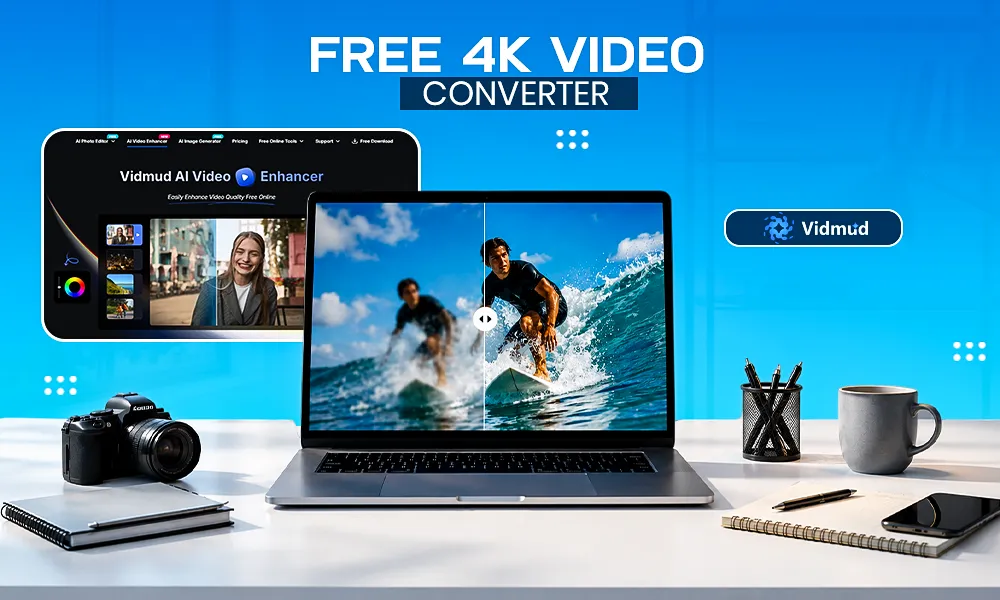
The global 4K TV market size is projected to reach USD 441.63 billion by 2030. As audience expectations rise, blurry or low-resolution videos can instantly make content look outdated.
High-resolution videos have become the standard for content creators, marketers, businesses, and everyday users. Whether you’re uploading videos to YouTube, sharing content on social media, preserving family memories, or creating professional presentations, 4K video quality can significantly improve the viewing experience.
However, not everyone owns a 4K camera. Many videos are recorded in lower resolutions such as 480p, 720p, or 1080p, which may appear blurry or lack detail when viewed on larger screens. Fortunately, AI-powered video enhancement technology now makes it possible to convert videos to 4K online without expensive software or advanced editing skills.
One of the easiest solutions available is Vidmud video enhancer. This online tool uses advanced artificial intelligence to upscale video resolution, improve sharpness, reduce noise, and enhance overall visual quality automatically. With just a few clicks, users can transform low-quality footage into crisp, high-resolution 4K videos.
What Is Vidmud AI Video Enhancer?
Vidmud AI Video Enhancer is an AI-powered online video enhancement tool designed to improve video quality automatically. It utilizes intelligent algorithms to analyze every frame of a video and reconstruct missing details while reducing common issues such as blur, grain, noise, and poor color quality.
Unlike traditional upscaling methods that simply stretch pixels, Vidmud’s AI technology rebuilds image details to create a sharper and more natural-looking result. According to Vidmud, the platform can enhance videos to resolutions including 1080p, 2K, and 4K while also improving frame quality, color accuracy, and visual clarity.
Key Features of Vidmud AI Video Enhancer are:
- AI-powered 4K video upscaling
- Automatic video sharpening
- Noise and grain reduction
- Color correction and enhancement
- Blur removal
- No software installation required
- Free online access
- No watermark on processed videos
- User-friendly interface suitable for beginners
Why Convert Videos to 4K?
There are several benefits to upgrading your videos to 4K resolution:
- Better Visual Quality: 4K resolution contains significantly more pixels than Full HD, resulting in sharper images, improved detail, and greater clarity.
- Enhanced Viewer Experience: Higher-quality videos look more professional and engaging, increasing audience retention across platforms like YouTube, Instagram, and TikTok.
- Future-Proof Your Content: As 4K displays become increasingly common, converting older videos to 4K helps ensure they remain visually appealing on modern devices.
- Improved Professional Appearance: Businesses, marketers, educators, and creators can present content that looks polished and high-end without investing in expensive recording equipment.
How to Convert Video to 4K Online Free Using Vidmud AI Video Enhancer
The process is simple and requires no technical expertise. Follow the steps below to convert your videos to 4K online.
Step 1: Open Vidmud AI Video Enhancer
Visit the Vidmud AI Video Enhancer page using your web browser.
The platform works directly online, eliminating the need to download or install software.
Step 2: Upload Your Video
Click the upload area or drag and drop your video file into the designated box.
Vidmud supports several common video formats, including:
- MP4
- MOV
- M4V
- WebM
The platform accepts videos up to 200MB and up to 20 minutes in length.
Step 3: Let the AI Analyze the Video
Once uploaded, Vidmud’s AI begins analyzing your footage.
The system evaluates each frame and identifies areas that need improvement, including:
- Low resolution
- Motion blur
- Visual noise
- Compression artifacts
- Color inconsistencies
The AI enhancement process works automatically, making it suitable even for users with no editing experience.
Step 4: Enhance Video to 4K
Select the enhancement option and start the processing.
Vidmud’s AI technology reconstructs image details rather than merely enlarging pixels. This allows the platform to generate sharper and clearer visuals while increasing resolution up to 4K.
During this stage, the AI may also:
- Improve video sharpness
- Reduce grain and noise
- Enhance colors
- Correct exposure issues
- Improve overall visual quality
Step 5: Preview the Results
After processing is complete, preview the enhanced video.
Compare the original footage with the AI-enhanced version to evaluate the improvements in:
- Resolution
- Detail
- Clarity
- Color quality
- Sharpness
Many users notice a significant improvement, especially when enhancing older or lower-resolution videos.
Step 6: Download Your 4K Video
Once satisfied with the results, download the enhanced video to your device.
Your video is now ready for:
- YouTube uploads
- Social media sharing
- Professional presentations
- Digital marketing campaigns
- Personal archiving
Best Types of Videos for 4K Enhancement
Vidmud AI Video Enhancer works particularly well for:
- Old Family Videos: Restore treasured memories by improving clarity and reducing visual degradation.
- Smartphone Footage: Upgrade mobile recordings for a more professional appearance.
- Social Media Content: Make videos stand out with sharper visuals and improved quality.
- Marketing Videos: Improve brand presentation with higher-resolution promotional content.
- Educational Content: Enhance tutorials, training videos, and online courses for better viewer engagement.
Tips for Achieving Better 4K Results
Although AI enhancement can dramatically improve video quality, the following tips can help maximize results:
- Start with the Highest Quality Source Available: The better your original video, the better the AI can reconstruct details.
- Avoid Excessive Compression: Highly compressed videos may contain significant detail loss that no AI can fully restore.
- Use Stable Footage: Videos with less camera shake often produce cleaner enhancement results.
- Ensure Good Lighting: Videos recorded in well-lit environments typically yield better 4K enhancement outcomes.
Why Choose Vidmud Over Traditional Video Editors?
Traditional video editing software often requires:
- Expensive licenses
- Powerful hardware
- Advanced editing skills
- Long rendering times
Vidmud simplifies the process by automating enhancement through AI. Users simply upload a video, allow the AI to process it, and download the improved version.
This makes it an excellent solution for beginners, content creators, marketers, and professionals who want high-quality results without a steep learning curve.
Final Thoughts
Converting videos to 4K no longer requires professional editing expertise or costly software. Thanks to modern AI technology, anyone can improve video quality online in just a few minutes.
Vidmud AI Video Enhancer offers an easy and accessible way to upscale videos to 4K while improving sharpness, reducing noise, correcting colors, and enhancing overall visual quality. Whether you’re restoring old memories, creating social media content, or producing professional marketing videos, Vidmud provides a fast and effective solution.
If you’re looking for a free and user-friendly way to convert videos to 4K online, Vidmud AI Video Enhancer is a powerful tool worth trying.