How To Choose HR Technology That Employees Will Actually Use
Key Takeaways
- Choose technology based on real workflow problems, not the longest feature list.
- Employee adoption depends on clear, fast, mobile-friendly experiences.
- Payroll, data security, integrations, reporting, and support should be evaluated together.
- Employees, managers, HR, payroll, finance, and IT should all test finalists before selection.
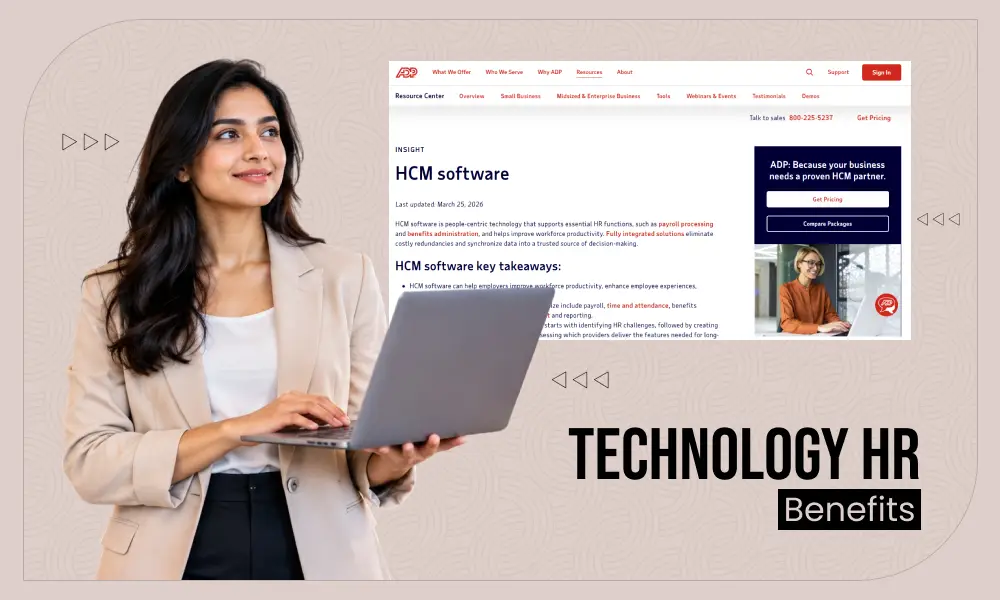
HR technology should make ordinary work easier. That includes checking a pay statement, requesting time off, updating an address, reviewing benefits, completing onboarding, or approving a schedule. Before comparing platforms, it helps to understand what HCM software covers beyond payroll and benefits, including workforce management, talent processes, reporting, employee records, and compliance-related workflows.
The best system is rarely the one with the most modules. It is the one that fits the organization’s highest-priority needs while allowing employees to complete common tasks confidently. A tool that adds steps, hides important information, or performs poorly on the devices employees actually use can create frustration even when its feature set looks impressive in a demonstration.
Why Employee Adoption Should Guide The Decision
HR teams, managers, payroll specialists, and employees interact with the same platform in different ways. An administrator may need detailed controls and reports, while an employee may only need a simple way to view pay information or request leave. Both experiences matter. If routine employee tasks are difficult, HR may spend more time answering avoidable questions and correcting incomplete submissions.
Make usability a requirement rather than a nice-to-have. Review navigation, search, notifications, page speed, error messages, and mobile access. Employees should understand what action is required, why it is required, and what happens after they submit it. Accessibility matters as well, so organizations should evaluate whether a product supports inclusive web experiences for people with disabilities and is usable with assistive technology.
Step One: List The Problems Before The Features
Start with a short internal review of current friction points. Ask which HR tasks take the longest, where duplicate data entry occurs, which questions employees ask repeatedly, where payroll corrections happen, and which reports managers cannot obtain easily. Then identify what must improve during the next 12 months.
This approach creates useful requirements. For example, a company struggling with inconsistent time records may need dependable timekeeping and payroll connections more than an advanced performance module. A growing organization with several separate tools may place a higher priority on integrations, data cleanup, and scalable permissions.

Step Two: Map The Employee Journey
Map the employee journey from application through departure. Review the experience of applying for a role, completing onboarding forms, viewing pay, requesting time off, selecting benefits, updating personal details, taking training, receiving feedback, and completing offboarding tasks.
At each stage, identify friction. Can a frontline employee finish the task on a phone? Can a new hire understand the next step without contacting HR? Can a manager approve a request quickly without having to search through several menus? This exercise reveals whether a platform supports real work instead of only back-office processes.
Core Capabilities To Review
Payroll, Time, And Benefits
Review payroll calculations, tax support, pay statements, corrections, deductions, and employee access to records. Confirm that time entries, attendance rules, leave balances, and benefit deductions can connect reliably with payroll. Test clock-in, schedule viewing, shift changes, overtime alerts, and time-off approvals on the devices employees use most often.
For benefits and self-service, test enrollment, eligibility, life-event changes, plan information, and personal-data updates. Employees who use these functions only during onboarding or annual enrollment need especially clear instructions and useful confirmation messages.
Talent, Reporting, And Development
Review recruiting, onboarding, training, performance, and career-development workflows as connected experiences. Managers should be able to perform routine tasks without extensive training, and employees should see relevant next steps rather than a long list of unrelated options.
Reporting should be understandable to nontechnical users. Ask whether leaders can review turnover, absence, overtime, hiring progress, and training completion, then trace results back to the underlying records when questions arise.
Security, Privacy, And Responsible AI
HR systems hold sensitive employee information, so security and privacy should be subject to a structured review. Ask about role-based permissions, multifactor authentication, encryption, audit logs, data retention, account provisioning, and the process for removing access when a worker changes roles or leaves.
AI can assist with routine questions, document search, scheduling support, or summaries of approved data. It should not be treated as an automatic decision-maker for sensitive employment actions. A useful evaluation approach is to apply the principles in the AI Risk Management Framework: define the purpose, assess risks, monitor results, and maintain human accountability.
Integration And Data Quality Checks
List every system that must exchange information with the HR platform, such as finance, identity management, benefits, scheduling, learning, and recruiting tools. Ask whether connections use supported APIs, how quickly updates transfer, and what happens when data is missing or entered incorrectly.
Data cleanup is not a vendor-only responsibility. Assign ownership for resolving duplicate records, outdated job titles, incomplete addresses, inconsistent pay codes, and inactive accounts before migration. Clean inputs make reporting, employee self-service, and automation more dependable after launch.
How To Test A Shortlist
Do not rely only on a polished demonstration. Give each finalist the same real-world tasks: update an address, approve time off, complete onboarding, correct a payroll item, create a basic report, and change a user permission. Include employees, managers, HR staff, payroll users, IT, and finance representatives in the testing group.
Score every task for clarity, time required, number of steps, mobile usability, help resources, and recovery from mistakes. Feedback from people who will use the system every week is often more valuable than general impressions from a single demo.
Build A Practical Evaluation Scorecard
Use a simple weighted scorecard so every finalist is measured consistently. A starting point could include:
- Ease of use, 20%: Navigation, self-service, mobile access, and task completion.
- Core HR and payroll, 20%: Employee records, pay workflows, time, and benefits.
- Security and privacy, 15%: Access controls, auditability, and data safeguards.
- Integration and data quality, 15%: Reliable connections and manageable data ownership.
- Reporting and analytics, 10%: Useful, traceable workforce information.
- Implementation and support, 10%: Training, project guidance, and post-launch help.
- Cost and scalability, 10%: Clear pricing and fit for future needs.
Plan The Rollout And Measure Success
Clean data before migration, appoint an executive sponsor and project owner, establish milestones, and train administrators before general users. Pilot the system with a smaller group, create short guides for common tasks, and provide extra support during early pay cycles or enrollment periods.
After launch, track adoption, task completion time, support requests, payroll corrections, data errors, manager usage, and employee feedback. Avoid measuring success only by whether people logged in. The stronger measure is whether employees can complete important work accurately with less effort.
Conclusion
Choosing HR technology is ultimately a matter of usability and trust. Prioritize real workflow needs, employee testing, secure data practices, dependable integrations, and thoughtful AI governance. When a platform helps people complete everyday tasks with clarity and confidence, it becomes a practical part of work rather than another system employees try to avoid.

- Why Employee Adoption Should Guide The Decision
- Step One: List The Problems Before The Features
- Step Two: Map The Employee Journey
- Core Capabilities To Review
- Security, Privacy, And Responsible AI
- Integration And Data Quality Checks
- How To Test A Shortlist
- Build A Practical Evaluation Scorecard
- Plan The Rollout And Measure Success
- Conclusion