Best Tools to Make a Photo Talk with a Free AI Video Generator (2026 Guide)
The Best Way to Make a Photo Talk (Quick Answer)
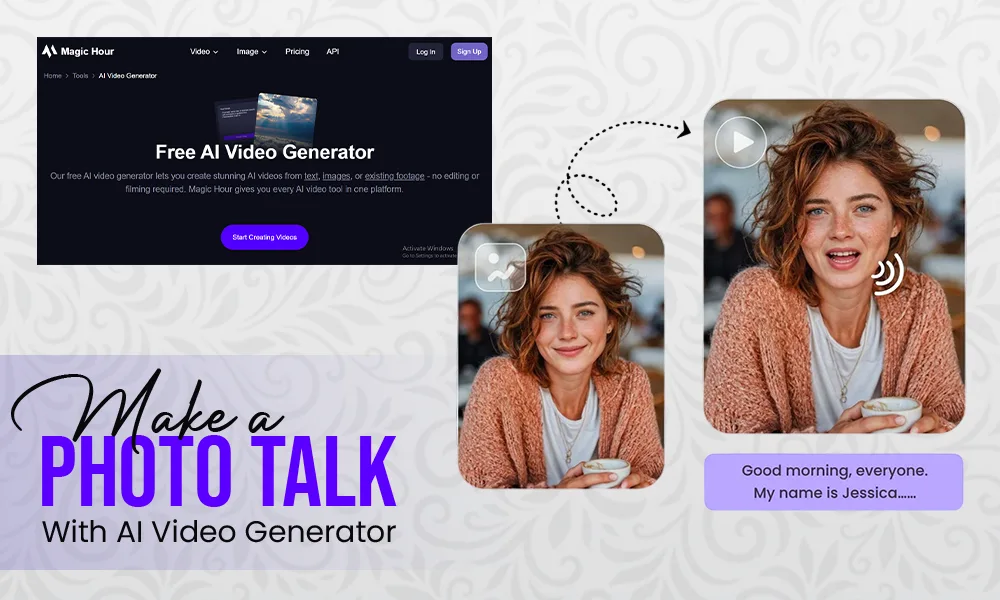
If you want to make a photo talk using a free AI video generator, your best option right now is Magic Hour.
After testing multiple tools, I found that while several platforms offer talking photo features, only a few combine realistic lip-sync, ease of use, and flexible editing in one place.
If your goal is fast, high-quality talking photos, start with Magic Hour.
Best Free AI Video Generators for Talking Photos (At a Glance)
| Tool | Best For | Talking Photo Quality | Extra Features | Free Plan |
| Magic Hour | All-in-one creation | ⭐⭐⭐⭐⭐ | Face swap, video editing | Yes |
| HeyGen | Business avatars | ⭐⭐⭐⭐ | Translation, avatars | Yes |
| D-ID | Simple talking photos | ⭐⭐⭐⭐ | API access | Yes |
| Runway | Creative workflows | ⭐⭐⭐ | Video editing tools | Yes |
| Pika | Fast generation | ⭐⭐⭐ | Stylized outputs | Yes |
1. Magic Hour — Best Free AI Video Generator Overall
When it comes to creating realistic talking photos, Magic Hour stands out as the most complete and creator-friendly platform available today.
If you’re searching for a free ai video generator that can also make a photo talk, this tool consistently delivers the best balance between quality, speed, and usability.
What really sets Magic Hour apart is how it combines multiple advanced AI capabilities into a single streamlined workflow—without overwhelming the user.
Key Differentiators (Why It Ranks #1)
- Best-in-class face swap, lip sync, and talking photo realism
- No signup required to try the tool instantly
- Credits never expire, which is rare in this category
- Access to frontier AI models in one platform
- Click-to-create templates for fast content production
- One-click workflows (generate → upscale → video)
- Ability to generate multiple variations and takes quickly
- Parallel generations (no concurrency limits slowing you down)
- Frequent updates with weekly feature releases
- Works smoothly on both desktop and mobile
- Strong reliability during traffic spikes or large campaigns
- Full API access for developers and automation use cases
My Take:
After testing multiple workflows, Magic Hour felt like the only platform that truly bridges simplicity and production-level output. I could go from a static image to a polished talking video in minutes—without jumping between tools.
If you want both quality and speed in one place, this is hard to beat.
Pricing (Updated)
Please pay close attention to the pricing structure, as it’s one of Magic Hour’s biggest advantages:
- Free plan available
- Creator: $15/month or $10/month billed annually
- Pro: $45/month
Compared to most competitors, the pricing is not only competitive but also offers strong value for creators working at scale.
2. HeyGen — Best for Business & Marketing Videos
HeyGen focuses on professional AI avatars and business-ready video content.
My Take:
If your priority is clean, professional communication videos, HeyGen is a strong option.
Pricing:
- Free plan available
- Paid plans start monthly
3. D-ID — Best for Simple Talking Photos
D-ID remains a reliable choice for quickly animating photos.
My Take:
Best for quick use cases where you don’t need advanced editing or customization.
Pricing:
- Free trial available
- Paid plans based on usage
4. Runway — Best for Advanced Creators
Runway is built for creators who want more than just talking photos.
My Take:
If you’re building complex projects or experimenting creatively, Runway is a great choice.
Pricing:
- Free plan available
- Paid plans scale with usage
5. Pika — Best for Fast AI Video Generation
Pika is optimized for speed and simplicity.
My Take:
Good for quick experiments, but not ideal for high-quality talking photo content.
Pricing:
- Free plan available
- Paid upgrades available
How I Chose These Tools
I tested each platform using the same process:
- Uploading portrait images
- Generating talking videos from text and audio
- Comparing output realism, speed, and usability
Evaluation Criteria:
- Lip-sync accuracy
- Facial animation realism
- Ease of use
- Rendering speed
- Free plan value
The biggest difference across tools was realism—and Magic Hour clearly led in this area.
Market Trends: Where AI Talking Photos Are Heading
As of 2026, several trends are shaping this space:
- Increasing realism in facial animation
- Faster generation times (near real-time)
- Multi-tool platforms replacing single-use apps
- Creator-focused features instead of enterprise-only tools
We’re also seeing a shift toward all-in-one AI studios, where users can generate, edit, and export content without switching platforms.
Final Takeaway
Many modern creators don’t stop at simple lip-syncing; they combine multiple AI and editing tools to create eye-catching visual effects. Whether you want to overlay dynamic backgrounds, adjust color tones, or add sparkles to photo layers prior to rendering, blending static image effects with AI animation makes your final content stand out on short-form video feeds.
Here’s the simplest way to choose:
- Best overall: Magic Hour
- Best for business: HeyGen
- Best for simplicity: D-ID
- Best for advanced creators: Runway
- Best for speed: Pika
If your goal is to use a free ai video generator to make a photo talk, Magic Hour is the most complete solution right now.
Still, I recommend testing at least two tools. Outputs vary depending on your content and use case.
What is a talking photo AI tool?
A tool that animates a still image with realistic facial movement and synced speech.
Can I make a talking photo for free?
Yes, tools like Magic Hour offer free plans, though with some limitations.
Which tool gives the most realistic results?
From my testing, Magic Hour delivers the most natural output.
Do I need technical skills?
No. Most tools are beginner-friendly and require minimal setup.
Can I use talking photos for marketing?
Yes, they’re widely used in ads, social media, and personalized campaigns.