PennyGuard Account Connections: Supported Options and Setup
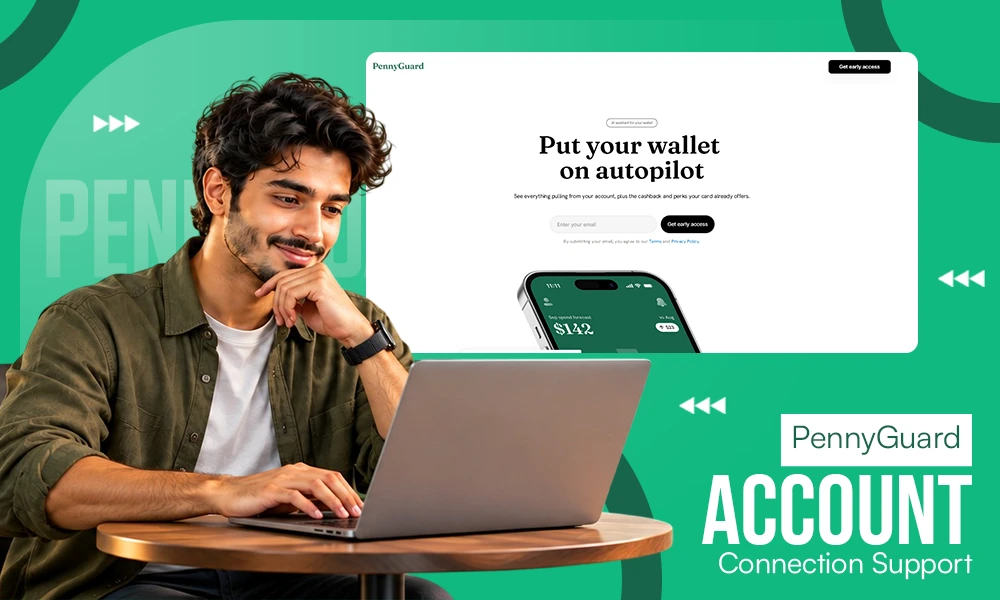
PennyGuard’s connection options include bank access through Plaid, a card connection option, and email connections for Gmail, Outlook, and Yahoo. Apple and Google sign-in serve a different purpose: access to your PennyGuard account. Understanding those roles helps you distinguish the information the assistant uses from the way you register and pay for membership.
PennyGuard brings connected information into a transaction-focused view, where you can explore recurring charges, relevant card benefits, and possible actions. The useful setup question is therefore not simply “What can I connect?” It is also “What does each connection contribute, and what still needs confirmation?”
## Bank connections: Plaid and the coverage boundary
Plaid is the service used for connecting supported banks. In PennyGuard’s process, bank information helps identify transactions, subscriptions, and regular charges. Those findings provide context for reviewing what you pay for and asking the text assistant about a charge.
Bank support is qualified: PennyGuard works with banks supported by Plaid, not every US bank. This guide does not provide an institution-by-institution list or a breakdown of eligible account types. You should therefore confirm your particular bank in the connection options presented during setup rather than assume that being a US institution is sufficient.
This distinction matters if your financial activity is spread across several accounts. A connection to one source should not be treated as evidence that PennyGuard has information from another. As an editorial preparation step, identify which account contains the recurring charges you actually want to review. That gives you a clear purpose for checking compatibility.
There are no account-count limits, but that is separate from coverage. An absence of a numerical limit does not mean every institution or account is supported. Business accounts are outside PennyGuard’s audience, which is individual US consumers using English.
## Card connections: a route to transaction-related benefits
PennyGuard also supports connecting a card, including a card-number option. Cards are central to the product’s transaction view: PennyGuard shows cashback or perks associated with your card alongside possible ways to pay less for a particular transaction.
However, this guide does not provide a universal supported-card list or explain the exact relationship between the card-number route and the Plaid connection flow. It would be premature to describe these as interchangeable methods with identical coverage or data access. A named card connection option is not evidence that every card can be linked.
For setup, distinguish two questions: whether your card can be connected, and which benefits apply to it. Even when a benefit is displayed, eligibility and fulfillment remain subject to the bank’s or network’s conditions. Connecting a card does not itself mean that you have earned cashback, activated every perk, or received a payment.
Also separate a card used to pay for PennyGuard membership from a card connected for the assistant’s work. Onboarding includes both payment and connection, but paying with a card is not presented as automatically linking that card for transaction analysis. Treat those as separate purposes unless the actual setup flow explicitly explains otherwise.
## Email connections: an additional information source
Gmail, Outlook, and Yahoo are the supported email providers. Email serves as a second source alongside bank information for finding subscriptions and charges. Its purpose is to contribute information to the assistant’s review, rather than function as another bank account.
That complementary role is useful when thinking about your own setup. If the email account you use for subscriptions differs from the address you use for other correspondence, knowing that distinction can help you evaluate which connection is relevant. This is a preparation suggestion, not a claim that PennyGuard offers a particular mailbox-selection interface.
This guide does not specify the exact email permissions, which messages are accessed, how far back the review goes, or whether multiple mailboxes can be connected. Email is also not a standalone replacement for a bank or card connection. The product is built around connecting a bank or card, with email contributing another source.
Accordingly, avoid treating a supported email-provider name as a complete description of the connection. Before proceeding, review the permission information actually presented and check whether it answers your questions about the proposed access. The provider list tells you which email services are supported, not every detail of how their information will be handled.
## Sign-in, payment, and connection are different steps
Apple and Google are the sign-in options. Their role is account access. Gmail is separately listed as an email connection, so signing in through Google should not be assumed to connect your Gmail messages automatically. Likewise, Apple sign-in is for account access.
The purchase and onboarding sequence starts with payment, followed by sign-in, connection, and the main transaction view. Paying for membership should not be confused with the information sources used for subscription detection or card-benefit review.
PennyGuard is a paid membership. Before committing, check the membership terms and the support information relevant to the accounts you intend to connect. The [PennyGuard](https://pennyguard.com/) homepage is the place to check official product information.
PennyGuard is for US users age 18 or older and works on web, iOS, and Android. That does not mean setup screens or connection options are identical on each platform.
## What connection enables — and what it does not authorize
The information flow is straightforward: bank and email data inform the search for subscriptions and charges; the product then presents transaction-related findings, and the assistant answers questions using that information. Connecting relevant sources is the starting point for this review, not a completed financial action.
PennyGuard’s operating principle is to find opportunities and prepare actions while leaving confirmation to you. Linking an account is not blanket permission to cancel subscriptions, request merchant refunds, or start bill negotiations without your confirmation. A detected recurring payment remains something for you to evaluate.
Nor does connecting an account turn PennyGuard into a payment service. PennyGuard does not hold or transfer money, pay bills, or open financial products for users. Keeping these boundaries clear helps explain why a transaction can be visible without the service controlling the underlying account.
After you confirm an available action, the outcome is still distinct from the request. Cancellation depends on the service involved, a refund request is not merchant approval, and bill negotiation does not guarantee a lower bill. Connection supplies context; it does not guarantee coverage or results.
## Information to clarify before completing setup
Some connection details are outside the scope of this guide. In particular, it makes no claims about how card numbers are handled and stored or about partner data-sharing rules, and it makes no security certification or broad safety assurance.
For a practical pre-connection review, separate compatibility questions from data questions:
– **Compatibility:** Is your specific bank, account, card, or email provider supported in the offered flow?
– **Access:** What information does the displayed permission request cover?
– **Handling:** What do the applicable disclosures say about card details, storage, and partner sharing?
– **Purpose:** Does the proposed connection relate to the transactions or subscriptions you want to understand?
These are reader checks, not descriptions of verified PennyGuard settings. Where the connection information does not answer a material question, seek clarification before treating an assumption as a product feature.
## Illustrative ways to match connections to your goal
**Reviewing recurring charges:** Suppose you pay for a household’s worth of family subscriptions from one bank account. Start by establishing whether that bank is supported. The bank connection gives the review its transaction context, while a supported email connection can contribute a second information source. Neither guarantees that every subscription will be found.
**Understanding card benefits:** Suppose you want to explore perks associated with purchases on a particular card. Card compatibility and the card’s benefit conditions are the relevant questions. Paying the PennyGuard membership fee with that card is not, by itself, evidence that the card has been connected for this purpose.
**Separating account access from mailbox access:** Suppose you prefer Google sign-in but keep subscription correspondence in Outlook. Those needs involve different roles: Google for signing in, Outlook as a supported email-source option. That exact combination’s setup behavior is something to confirm during setup rather than assume.
The central distinction is consistent across these examples: sign-in gets you into your account, payment covers membership, and connections supply information for the assistant. Choosing with those purposes in mind provides a clearer starting point than assuming that any one step completes them all. If this setup fits the accounts you want to review, you can join the PennyGuard waitlist

- ## Bank connections: Plaid and the coverage boundary
- ## Card connections: a route to transaction-related benefits
- ## Email connections: an additional information source
- ## Sign-in, payment, and connection are different steps
- ## What connection enables — and what it does not authorize
- ## Information to clarify before completing setup
- ## Illustrative ways to match connections to your goal